MN DNR Licensing
Sovereign Sportsman is now PayIt LLCSports
3.040.00 Reviews
- Version
- 1.2026.1029.1
- Installs
- 50.00K
- Age Rating
- Everyone
Screenshots
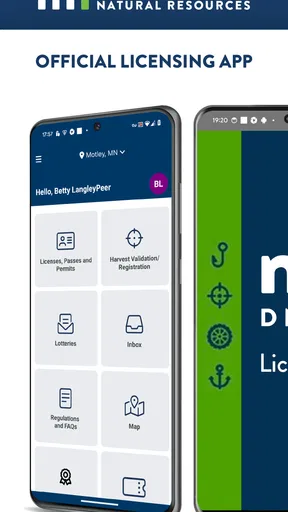
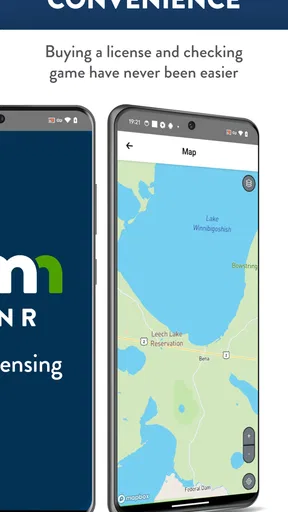
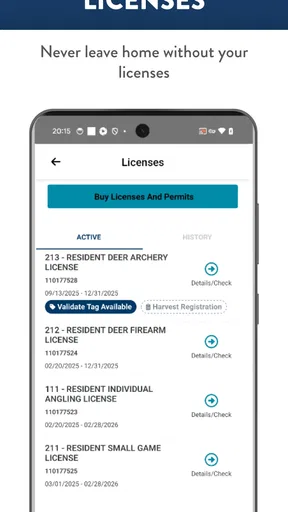
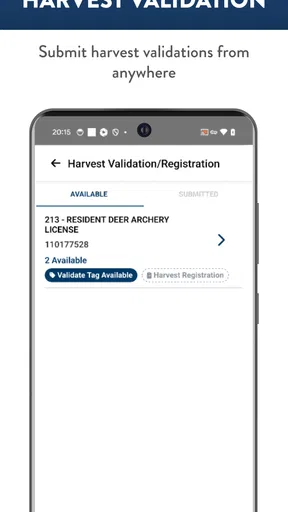
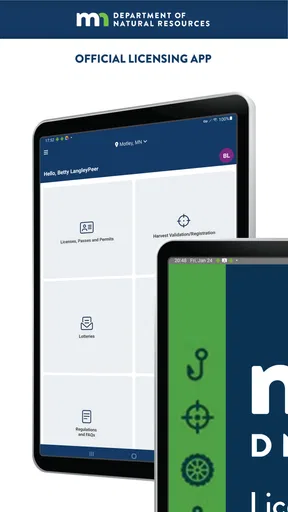
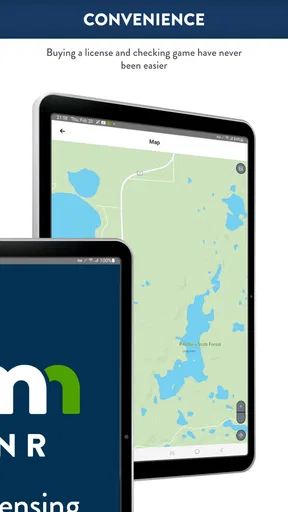
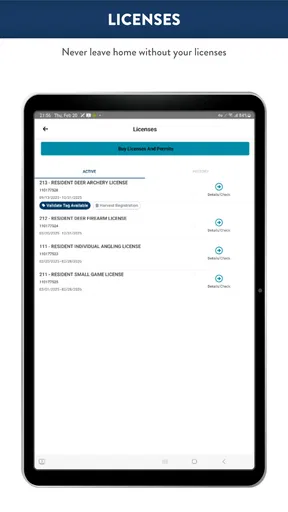
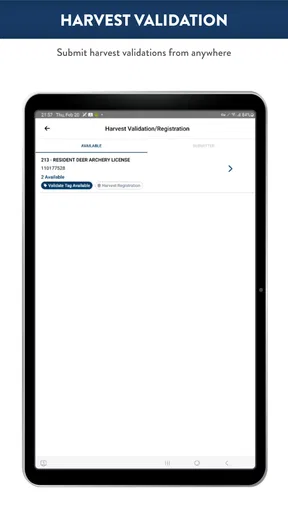
Our Review of MN DNR Licensing
 Analysis by Appyee
MN DNR Licensing is the kind of sports app I would judge less by its first launch and more by whether I still reach for it when a licensing task becomes part of my normal outdoor routine. Its purpose is clear: it is the official licensing app for the Minnesota DNR, designed around the practical side of participating in regulated outdoor activities in Minnesota. That makes it very different from a fishing guide, weather app, trail map, or social hunting tool. Its value is administrative, and that can be surprisingly important when the alternative is searching through messages, paper documents, or a browser session at the wrong moment.
I approached it as a utility rather than an app I would open for entertainment. The first impression is shaped by that narrow purpose. There is no need to learn a complicated content library or build a profile around endless features. Instead, the question is whether the app makes licensing easier to manage before heading outdoors and whether it reduces small points of stress during the season. In my experience, that is where this type of app either earns a permanent place on a phone or gets forgotten after the initial download.
What the first week feels like
The first week is appealing because the app has a direct relationship with a real-world task. If I am preparing for a Minnesota fishing trip, hunting outing, or another activity that requires the appropriate state licensing, a dedicated mobile option feels more useful than starting with a general web search. I can think about the trip itself instead of repeatedly trying to remember where a licensing page, confirmation, or account detail was stored.
That focus also makes the app approachable for people who do not want another broad outdoor platform. Many sports apps are built around maps, forecasts, equipment logs, route sharing, or community posts. Those can be valuable, but they also create clutter when the immediate need is simply handling Minnesota DNR licensing. Here, the narrow scope is a strength during preparation because it keeps the administrative job separate from the recreational part of the outing.
The app is free, which lowers the barrier to trying it. It is also marked for Everyone, so it is not presented as a specialist tool limited to a particular age group. I would still expect the person using it to understand the licensing responsibility attached to their own activity, but the app itself is not intimidating in the way a complicated professional system can be.
One practical habit I recommend is opening it before leaving home rather than waiting until the boat launch, trailhead, or cabin. That gives me time to sign in, review what I need, and deal with any account or connection friction while I still have a stable setup. A licensing app is most useful when it supports preparation, not when it becomes one more problem to solve beside the water or in a crowded parking area.
Another useful first-week test is to treat the app as a record-keeping companion, not merely a purchase screen. After completing a licensing task, I would take a moment to understand where the relevant information appears and how quickly I can find it again. That small investment matters because the recurring value comes from retrieval. If I have to rediscover the same path every time, the convenience fades quickly.
MN DNR Licensing has a modest but meaningful audience already, with over ten thousand installs. Its average rating is 3.7 from around thirty ratings, alongside roughly twenty written reviews. I read that combination as a sign to keep expectations practical: the app is useful enough to attract real users, but it is not something I would blindly assume will feel perfect on every device or for every licensing situation.
Where it fits better than the usual alternatives
The usual alternative is a mobile browser. A browser can work, especially for someone who only handles licensing once in a while, but it often leaves the task mixed in with open tabs, saved passwords, emails, and general search results. A dedicated app gives the licensing job a recognizable home. That distinction is small until I am preparing for an early start and want to avoid hunting through an old confirmation message.
A second alternative is relying on printed documents or screenshots. Those can be useful backups, but they are easy to misplace, forget, or leave in the wrong vehicle. The app is better suited to people who already manage important information from their phone and want a repeatable digital workflow. It is less compelling for someone who prefers paper records, has limited comfort with mobile accounts, or rarely needs Minnesota DNR licensing.
It is also important not to confuse this app with a complete outdoor companion. It should not replace a navigation tool, a weather forecast, safety equipment, local regulations research, or personal trip planning. Its job is narrower. That is a benefit when licensing is the problem I am solving, but a limitation if I expect one download to organize the entire outing.
Why it may still matter after the novelty fades
The first-week convenience is easy to understand, but lasting value depends on repetition. Licensing is not usually a daily activity, so this is not an app I expect to open out of habit in the same way I open a weather or messaging app. Its long-term role is more like a dependable drawer in a digital filing cabinet: quiet most of the time, useful when the relevant season or trip arrives.
That kind of recurring value can be enough. I do not need a licensing app to entertain me between outings. I need it to shorten the path from “I am planning to go” to “I have handled the administrative part.” If it remains easy to recognize, open, and use months after installation, it earns space despite infrequent use. In fact, an app with a narrow purpose can be easier to keep than a larger outdoor platform because there is less content competing for attention.
For a family, the value can appear in preparation rather than frequent individual use. One person may organize the trip while another needs to check their own licensing details. Keeping the official tool available on the phone can make that division of responsibility clearer. I would still verify each person’s requirements carefully instead of assuming that one completed transaction covers everyone, but the app can serve as a central starting point for the administrative side of the plan.
It can also help reduce a common seasonal mistake: handling licensing only when the outing is already under way. My preferred workflow is to use the app during trip planning, revisit it shortly before departure, and then keep the phone charged and accessible. This is not glamorous, but it turns the app into part of a checklist. The value comes from preventing rushed decisions, not from spending more time inside the app.
The maintenance burden is low, but not invisible
The current version is 1.2026.0729.1, and the app requires Android 7.0 or later. For Android users with a reasonably maintained phone, that minimum should make the app broadly approachable. Still, I would not treat installation as the end of maintenance. Official licensing tools are tied to real administrative needs, so keeping the app updated is sensible when an update is offered, particularly before a major planned outing.
My maintenance routine would be simple. I would keep the app installed, allow enough phone storage for ordinary updates, and open it occasionally rather than waiting until the most inconvenient possible moment. I would also keep my phone’s operating system and account access in reasonable order. If I change devices, reset a password, or stop using an old email address, I would resolve that before the licensing deadline becomes urgent.
The burden is therefore less about constant app management and more about personal readiness. A licensing app cannot compensate for a dead battery, forgotten account credentials, or a phone left at home. I would carry the same practical backup mindset I use for other important travel information. The app can simplify access, but it should not become the only thing standing between a well-prepared trip and a last-minute scramble.
There is also a trade-off between convenience and dependence on a digital workflow. Someone who is comfortable using a phone will probably find the app easier to revisit than a browser bookmark. Someone who prefers printed records may feel that the app adds another step rather than removing one. I would not pressure the second group to change habits unless the mobile workflow genuinely solves a problem for them.
Where fatigue can set in
The biggest source of fatigue is infrequency. If I only need the app a few times a year, I may forget how I used it, whether I am signed in, or where a particular piece of information is located. That is why the earlier preparation habit matters. A tool can be well designed and still feel unfamiliar after months of silence.
A second source of frustration is expecting the app to answer broader outdoor questions. When I am checking license-related information, I may naturally want immediate guidance about seasons, locations, equipment, weather, or safety. If I have to leave the app for those answers, that is not necessarily a failure; it reflects the product’s focused role. The important thing is recognizing that boundary before downloading it with unrealistic expectations.
There can also be a psychological fatigue that comes with administrative apps: the feeling that a recreational activity has been turned into a sequence of forms, confirmations, and checks. MN DNR Licensing cannot remove those responsibilities. What it can do is give them one consistent place. For me, that is worthwhile when it prevents scattered records, but it would not be a reason to open the app outside a genuine licensing need.
Users who manage several states’ licensing systems should be especially realistic about the app’s scope. A Minnesota-focused official tool may be the right choice for Minnesota activities, while a frequent traveler could prefer a broader organizational method for keeping multiple jurisdictions straight. I would use this app for the Minnesota portion and avoid assuming that it replaces every other state’s system or a personal document-management habit.
Small workflows that make it more useful
My first concrete tip is to place the app somewhere easy to find before the season begins. A dedicated folder named for outdoor administration is better than burying it among unrelated downloads. This sounds basic, but a tool that is difficult to locate loses much of its advantage over a browser bookmark.
My second tip is to make licensing part of the same checklist as weather, fuel, safety gear, and route planning. I would open the app at the planning stage, not as an afterthought. This creates a useful separation: the app handles the official licensing task, while other tools handle conditions and navigation. That division keeps the workflow clear and reduces the temptation to treat one app as a complete trip manager.
My third tip is to test retrieval, not just completion. After using the app, I would close it and later see whether I can return to the information I expect without repeating the entire process. The ability to find something quickly is often more important than the initial transaction. If retrieval feels awkward, I would adjust my personal backup routine rather than relying on memory at the next outing.
A fourth trade-off is deciding whether the app should be used by one trip organizer or by every participant. A single organizer may find it efficient for planning, but individual users may prefer direct access to their own information. I would choose the arrangement that avoids confusion about whose licensing has been handled. The app can support the workflow, but clear responsibility still matters more than simply having it installed.
Who should install it, and who can skip it?
I would recommend MN DNR Licensing to Minnesota residents and visitors who regularly need Minnesota DNR licensing and prefer handling official tasks from a phone. It is particularly suitable for people who dislike searching old emails, switching between browser tabs, or carrying paperwork for every outing. The free price makes experimentation easy, and the focused design should appeal to users who want a practical tool rather than a social outdoor network.
I would also consider it a sensible download for someone preparing for a first Minnesota outdoor season, provided they understand that licensing is only one part of responsible preparation. The app can help establish a repeatable administrative habit. It does not replace learning the rules that apply to the chosen activity, checking current conditions, or preparing safely.
I would skip it if I rarely participate in activities requiring Minnesota DNR licensing and already have a reliable browser or paper workflow. I would also skip it as a primary outdoor app if my main needs are navigation, forecasts, trip recording, or community advice. In those cases, a specialized tool for the actual problem would be a better use of phone space. The narrow purpose is precisely why the app can be useful, but it is also why it will not satisfy everyone.
My long-term verdict
After the novelty fades, MN DNR Licensing earns its place through occasional reliability rather than frequent engagement. I do not see it as an app I would browse for fun, and I would not judge it by the standards of a map, weather service, or all-in-one outdoor platform. I would judge it by a simpler question: when I need to deal with Minnesota DNR licensing, does having the official tool ready make the process more organized than my usual alternative?
For the right user, the answer is yes. Its free access, official purpose, focused category as a sports utility, and compatibility with Android 7.0 or later make it approachable. The developer is Sovereign Sportsman is now PayIt LLC, and the app’s current release shows that it is being maintained as a contemporary licensing tool. I would keep it installed if Minnesota outdoor activities were part of my regular year, while still using separate tools and sensible backups for everything beyond licensing.
My final recommendation is practical rather than enthusiastic: install it before you need it, learn the path you will use, and make it one item in a broader trip checklist. Its lasting value comes from reducing administrative friction at the right moment, not from giving you a reason to keep opening it every day. If that is the problem you want solved, MN DNR Licensing is a reasonable and focused choice. If you want a complete outdoor planning experience, I would look elsewhere and use this app only for the Minnesota licensing part of the job.
Privacy and Permissions
See what permissions an app requests and how it handles your data.
- Location
- approximate location (network-based), precise location (GPS and network-based)
- Photos/Media/Files
- read the contents of your USB storage, modify or delete the contents of your USB storage
- Storage
- read the contents of your USB storage, modify or delete the contents of your USB storage
- Wi-Fi connection information
- view Wi-Fi connections
- Other
- view network connections, full network access, run at startup, prevent device from sleeping, Google Play license check
Verdict
Strengths of MN DNR Licensing
- Official Minnesota DNR source for purchasing and managing licenses.
- Supports several hunting, fishing, and recreational license types.
- Digital licenses are convenient to access while outdoors.
- Reduces the need to visit a licensing agent in person.
- Provides a practical way to keep license information organized.
Limitations of MN DNR Licensing
- Availability of licenses and features may vary by Minnesota regulations.
- Requires an internet connection for some purchases or account actions.
- The interface may feel less intuitive for first-time users.
- Not useful for residents outside Minnesota or visitors without state activities.
- Users may still need physical identification or permits while in the field.
Similar Picks in This Category
View All
BeSoccer: Soccer Live Score
BeSoccer apps4.3

Cricbuzz - Live Cricket Scores
Cricbuzz.com3.7

NFL
NFL Enterprises LLC2.4

Da Fit
MO YOUNG LIMITED3.6

ESPN
Disney4.5

LiveScore: Live Sports Scores
LiveScore Limited4.5
Frequently Asked Questions
What is MN DNR Licensing used for?
MN DNR Licensing is the official Minnesota Department of Natural Resources service for purchasing and managing licenses, permits, and registrations. Depending on your eligibility and activity, you may be able to obtain hunting, fishing, trapping, or other outdoor recreation credentials, review license details, and keep important information available on your mobile device instead of relying only on a printed document.
Can I buy a Minnesota hunting or fishing license through the app?
The app is designed to help Minnesota residents and visitors access DNR licensing services from a phone or tablet. Available purchases can depend on the license type, season, eligibility requirements, and current DNR rules. Before completing a transaction, check the displayed description, required information, fees, and expiration dates to make sure you are selecting the correct license for your activity.
Do I need an internet connection to use MN DNR Licensing?
An internet connection is generally required for signing in, checking current license information, completing purchases, and synchronizing account data with Minnesota DNR systems. Some information may remain visible after it has been loaded, but you should not assume that every feature works offline. It is best to complete transactions and confirm your license before traveling into areas with limited coverage.
Is MN DNR Licensing an official and secure app?
MN DNR Licensing is intended to provide access to official Minnesota Department of Natural Resources licensing services. For safety, download it only through a trusted app store and verify that the publisher is connected with the Minnesota DNR. When entering personal or payment information, use a secure connection, keep the app updated, and avoid sharing account credentials or screenshots containing sensitive details.
What should I do if my license, payment, or account information is not showing correctly?
First, check that you are signed in to the correct account and that the app has a reliable internet connection. Close and reopen the application, install any available update, and review your email or transaction confirmation for purchase details. If the problem continues, contact Minnesota DNR customer support using the official contact information rather than attempting to purchase the same license repeatedly.
